VirtualBox: Purge deleted hard disks.
Published Date: 28-JAN-2019
Just some quick notes on when I tried to re-attach a disk that was initially "missing" according to VirtualBox; moved the HDD to a different directory and got a "this disk already exists" error when trying to add it back in.
Found some very straight forward instructions from, and full credit to coderwall.com (reference below). I just wanted to capture my process of this with some screenshots as well.
Pre-requisites
things you'll need installed to follow along
- VirtualBox
- access and know where your VBoxManage.exe is (I'm doing this on my windoze machine) cos we're running some CLI
Missing disk
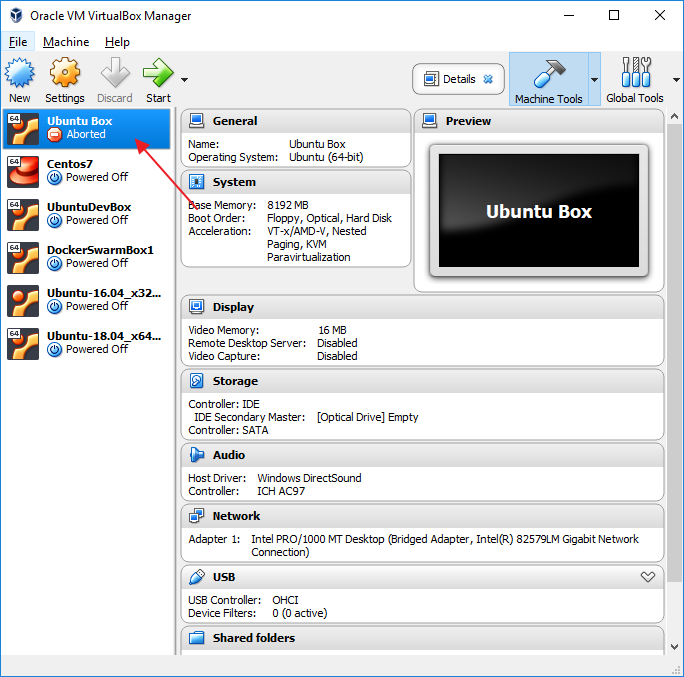
Error: Disk UUID already exists
Ok, so locate the disk and try and add it:
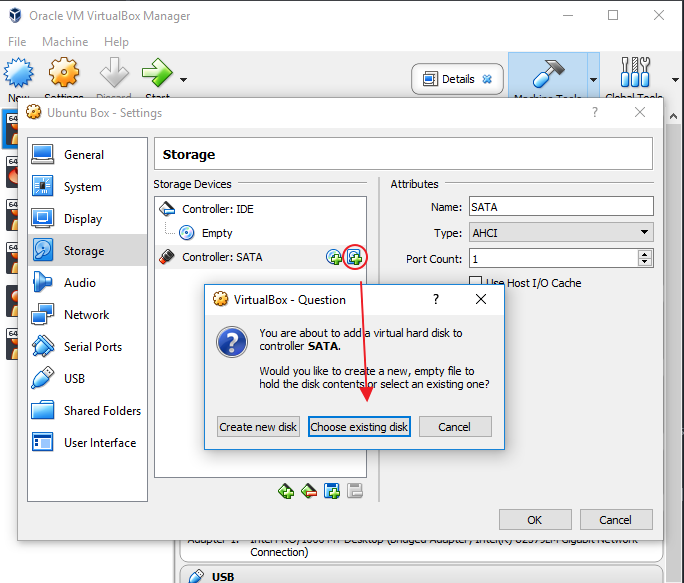
Get this error
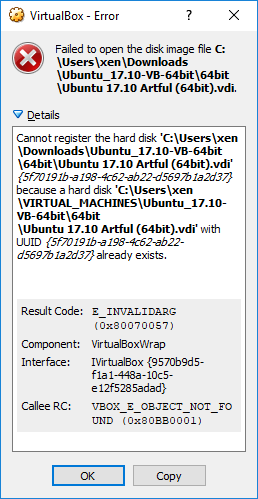
Fix with VBoxManage.exe
Right, find your VirtualBox binaries and run the following
vboxmanage list hdds
For me in MobaXterm that looks like this:
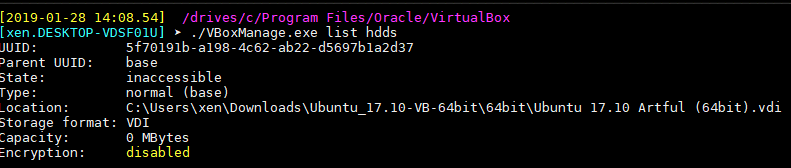
grab that UUID and delete it from then delete it from VirtualBox
vboxmanage closemedium disk <uuid /> --delete
for some reason when I did this, I got an error

But I was able to successfully add it back in anyway, so yea... dunno about that... Anyway, re-tried it with another entry and this is what a successful command run looks like

Conclusion
I know vboxmanage has a tonne of other cool stuff you can do from the command line, e.g. vagrant utilises a lot of this when scripting virtual machine builds which is bloody cool.