🎓 Hackathon Day Guide
Kia ora! Today you and your team are going to pick a real-world problem you care about, design a solution for it, build a working prototype with Kiro (an AI coding tool from AWS), and pitch it to a panel of judges — all in one school day.
No coding experience needed. Kiro does the heavy lifting. Your job is to bring the ideas, ask good questions, and tell a great story at the end.
Hundreds of rangatahi have done events like this with zero coding experience. Follow the steps, ask your mentor when you're stuck, and have fun with it.
🗓️ Today's Plan
The day is split into stages, and each stage has a specific job. Don't worry about remembering the times — your facilitator will keep the room on track. This is just so you know what's coming.
| Time | Stage | What you're doing |
|---|---|---|
| 9:00–9:30 am | 🏫 School registration | Sign in at Deloitte reception |
| 9:30–9:40 am | 🌅 Welcome & introduction | Quick welcome from the organisers |
| 9:40–10:25 am | 🎯 Icebreaker & problem exploration | Get comfy with your team + start picking a problem |
| 10:25–11:00 am | 💡 Ideation | "How might we…?" + pick your idea |
| 11:00–11:10 am | ☕ Short break | Stretch, snack, breathe |
| 11:10 am – 12:10 pm | 🛠️ Design & prototyping with Kiro | Build your solution |
| 12:10–12:35 pm | 🍕 Lunch | Refuel |
| 12:35–1:00 pm | 🧪 Final testing & refine pitch | Tighten it up, rehearse once |
| 1:00–1:50 pm | 🎤 Pitch presentations & feedback | 6 min per team, incl. judges feedback |
| 1:50–2:05 pm | ⚡ Judges deliberation & student energizer | Judges decide, you stretch & play |
| 2:05–2:15 pm | 🏆 Winners announced & prizes | Big moment |
| 2:15–2:30 pm | 🪞 Session reflection & wrap up | What worked, what stuck with you |
| 2:30–2:45 pm | 👋 Schools depart | Safe travels home |
Your facilitator may run things slightly faster or slower than the table. Stick with whichever stage they've called.
1️⃣ 🌅 Welcome & introduction (9:30–9:40 am)
Quick welcome from the organisers so everyone knows what the day looks like. Settle in, meet your team, and get ready for the Icebreaker.
Your laptop is already set up: Kiro's installed, you're signed in, and a starter project is ready. You don't need to install or set up anything yourself.
If Kiro won't open or behaves weirdly, tell your mentor straight away. The Troubleshooting page has fixes for the common ones.
2️⃣ 🎯 Icebreaker & problem exploration (9:40–10:25 am)
The day properly kicks off with an Icebreaker — a short, fun activity to help you get comfortable with your team and Kiro. Your facilitator runs it — just follow along.
From there you move into problem exploration: your facilitator will share a list of social or environmental issues you can choose from — things like plastic in the oceans, food waste, accessibility, mental wellbeing, or community connection.
As a team, pick one issue you genuinely care about. Don't overthink it — you've got about 45 minutes across the whole stage, so momentum beats perfection.
The best projects come from teams who care about the problem. If three of you are passionate about one thing and one isn't, that's fine. If none of you care about any of it, pick the one that affects your community.
❤️ Empathise — get clear on who you're building for
Before you build anything, get clear on who you're building for.
- Use the resources your facilitator provides (videos, articles, case studies) to learn more about the problem.
- Build one user persona — a made-up but realistic person who'd use your solution.
A user persona is just a quick sketch:
- Name & age: e.g. Mere, 14
- What they want: e.g. Knows which beaches near home are safe to swim at
- What frustrates them: e.g. There's no easy way to check; council websites are confusing
- Where they are: At home, on a phone, before heading out with friends
Keep it short. The persona is a tool, not a final deliverable.
3️⃣ 💡 Ideation (10:25–11:00 am)
Now generate ideas — lots of them.
Use "How Might We…" questions to open up your thinking. For example:
How might we help Mere quickly check if her local beach is safe to swim at? How might we make council water-quality data easy for teenagers to use? How might we let people warn each other about dirty beaches?
Brainstorm as many as you can in the first 10–15 minutes. No bad ideas yet — quantity over quality.
Then as a team, vote for the one you want to build. Pick the idea that's:
- Useful for your persona
- Possible to prototype in an hour
- Something at least one of you is excited about
Share your top idea with the room and listen to feedback from mentors.
☕ Short break (11:00–11:10 am)
Stretch. Snack. Splash water on your face. The next stage is the busiest one of the day.
4️⃣ 🛠️ Design & prototyping with Kiro (11:10 am – 12:10 pm)
This is your main build stage — 60 minutes with Kiro. The good news: you don't start from a blank page. There's a starter project for each problem theme — a working app with a list of TODOs your team works through with Kiro. Small and shippable beats big and broken.
Kiro is a powerful AI tool. Before you start asking it to build things, take 2 minutes to read the Trustworthy AI section below. It covers being honest about AI use, checking what the AI tells you, and keeping personal info out of prompts. This is exactly the stuff judges will ask about.
What is Kiro?
Kiro is your AI coding assistant. You describe what you want in plain English, Kiro writes the code. Two modes:
- Vibe — chat first, build as you go. Use this today.
- Spec — plan first, then build. Better for bigger projects.
You'll see the chooser when you open Kiro. Click Vibe.
Open your starter project
Your facilitator will tell you which starter matches the problem you picked (e.g. 🌊 Water Watch NZ for ocean pollution). The full list with download links is on the Resources page.
-
Download the starter ZIP from the Resources page (or clone it with
gitif your team prefers) and extract it somewhere easy to find — your desktop is fine. -
In Kiro, click File → Open Folder and select the starter folder.
-
Open a terminal in Kiro (Terminal → New Terminal) and run:
npm installnpm start -
Open Chrome and go to http://localhost:3000. You should see the starter app already running — basic page with a title and some empty sections. That's your starting point.
Tell your mentor or check Troubleshooting.
See your app live, right next to the code
You can preview your app inside Kiro so you don't have to flick between windows every time you change something:
- Press
Cmd + Shift + P(Mac) orCtrl + Shift + P(Windows) to open the Command Palette. - Type
>simpleand press Enter when you see Simple Browser: Show. - Paste
http://localhost:3000into the URL prompt and press Enter.
The browser opens as a tab next to your code. When Kiro changes something, refresh the Simple Browser tab and watch your app update live. Keep Chrome open too — that's where you'll run your final pitch demo.
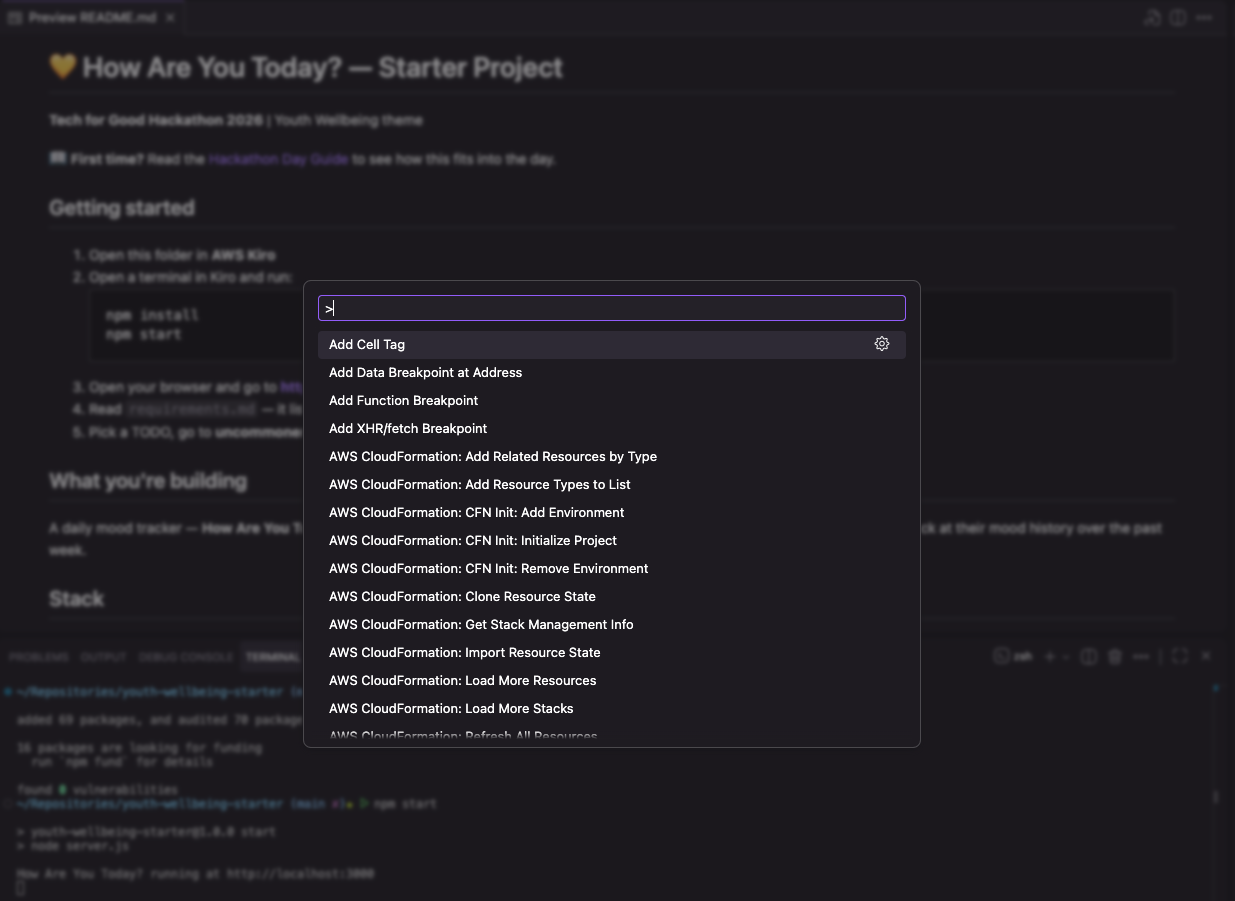
>simple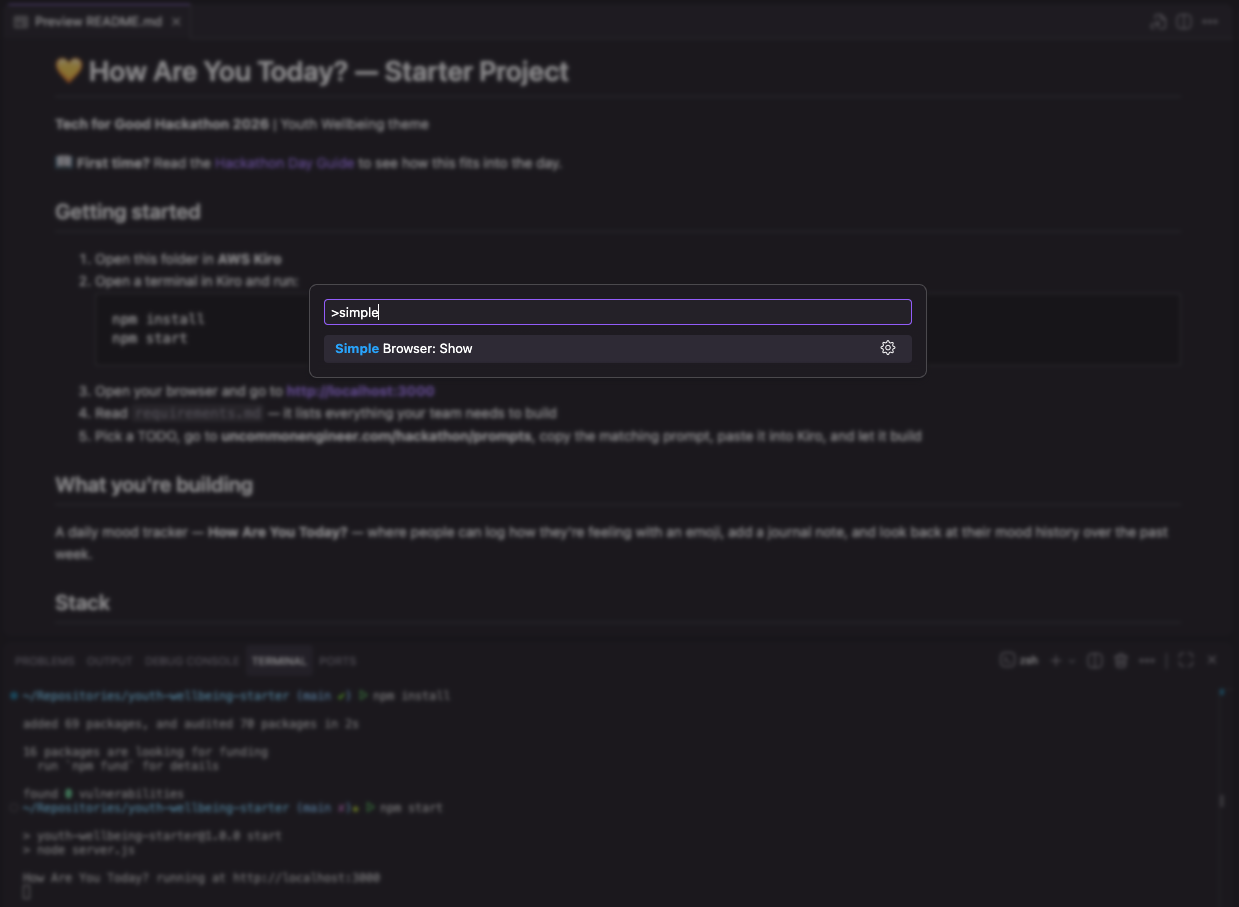
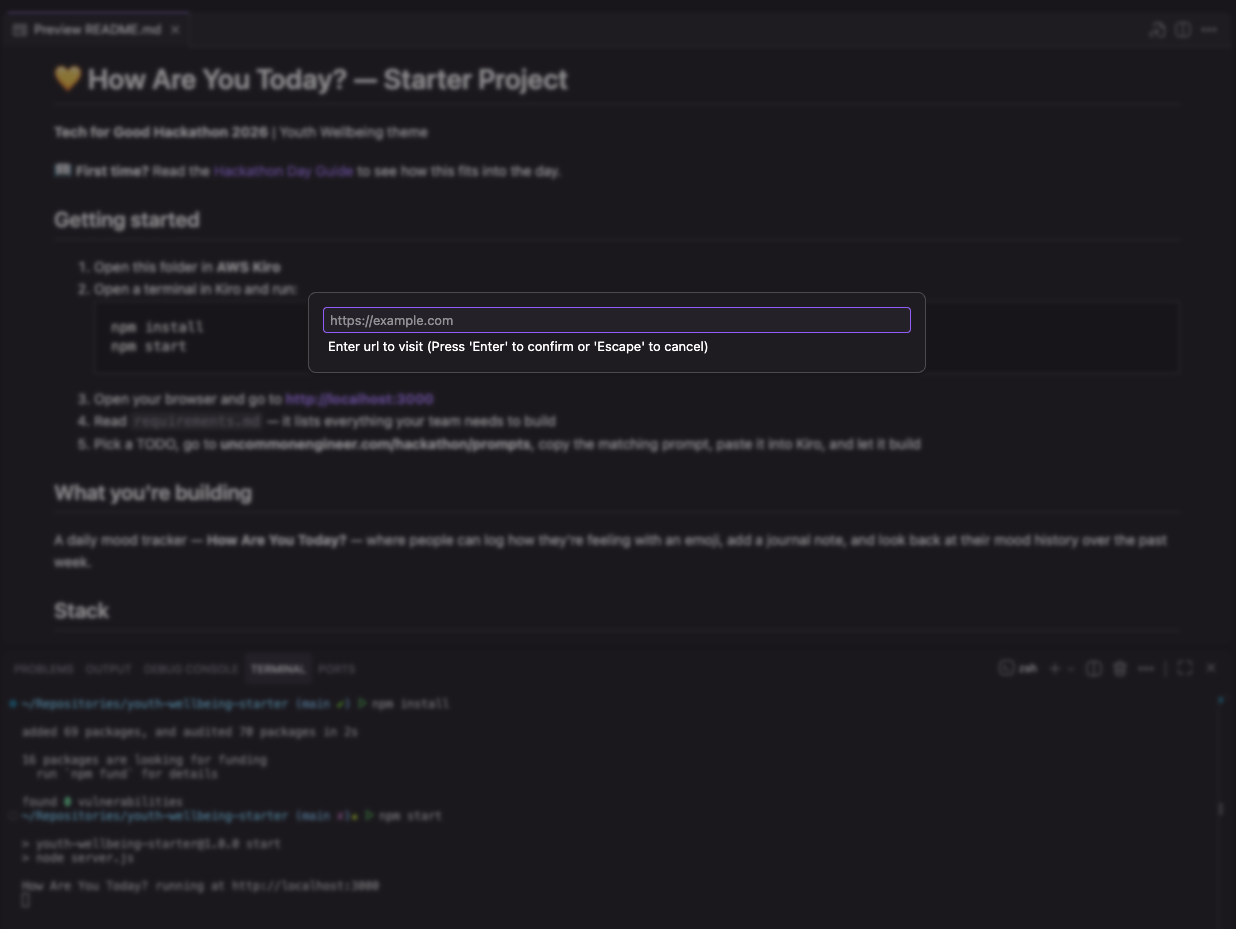
http://localhost:3000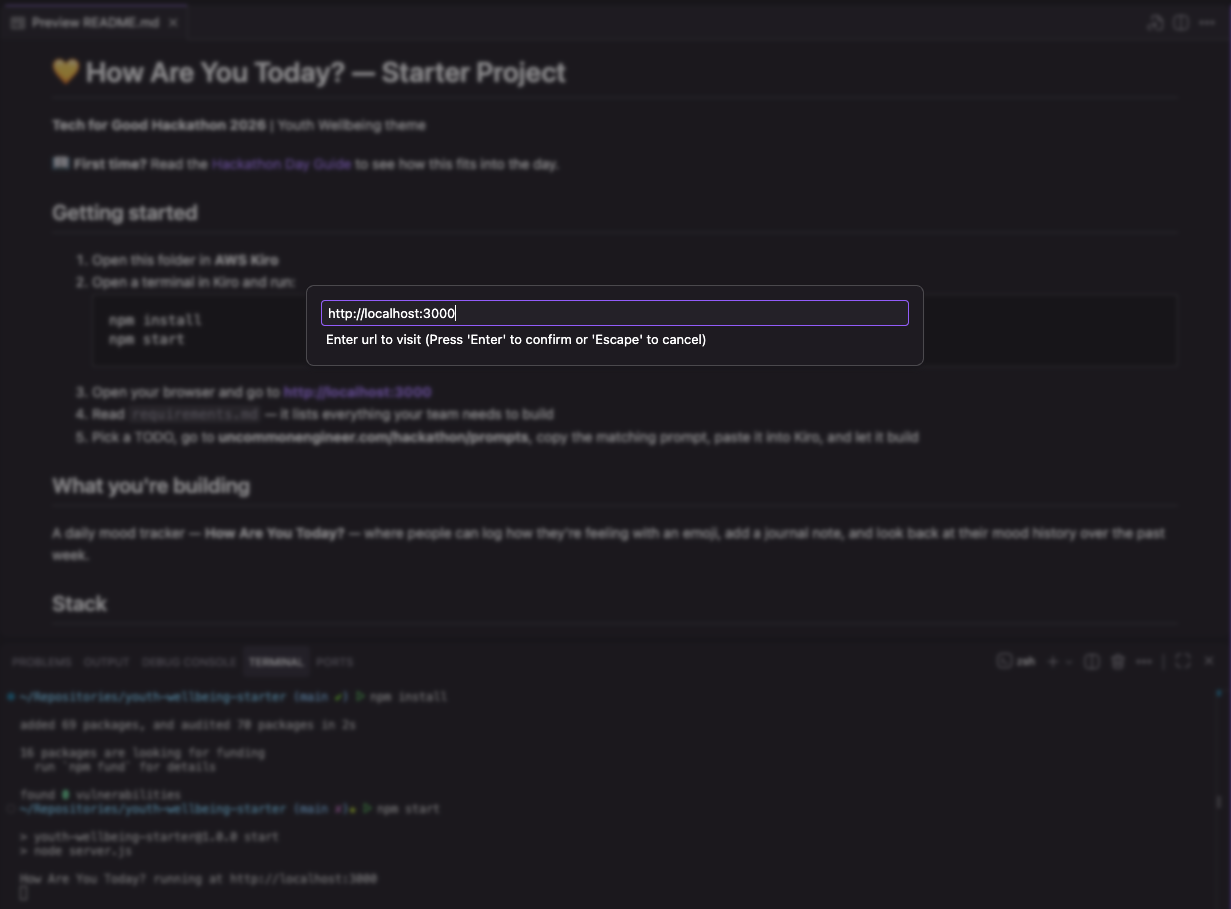
Each thumbnail opens the full-size image in a new tab.
Simple Browser is great for the build phase (code + preview side by side). Chrome is better for your pitch — bigger window, full dev tools, and it's the browser judges will be looking at.
Read requirements.md
Open requirements.md in Kiro (it's at the top of the file list). It tells you:
- What's already built in the starter
- A numbered list of TODOs — the things your team will add
- Tips and CSS class names to use
Read through it together. Don't skip this — it's how you know what to do next.
Pick a TODO and find its prompt
For each TODO:
- Read what it asks for in
requirements.md. - Go to the Prompt Library and find the matching prompt for your theme + TODO number (e.g. "🌊 Ocean Pollution → TODO 1").
- Copy the prompt, paste it into Kiro's Chat Panel on the right, and hit Enter.
Don't skip ahead. The TODOs build on each other — TODO 1 sets things up that TODO 2 uses, and so on.
Let Kiro work
After you hit Enter, Kiro will:
- Think about your request.
- Update files in your project.
- Explain what it did in the chat.
Don't type while it's working — interrupting can confuse it. You'll know it's done when the chat stops updating. Then refresh http://localhost:3000 in Chrome to see the change.
Make it your own — ship 2 of your own features
The TODOs are just the core. Once you've got them running, your team needs to add at least two features you ideate yourselves — things that matter to the persona you built during Empathise and Ideate.
This is where your project stops being "the starter everyone got" and starts being yours. Judges notice.
How to do it:
- As a team, look at your persona. What would actually help them that the TODOs don't cover?
- Pick two ideas. Keep them small — one button, one field, one view.
- Write your own prompt for each (see the Prompt Library → Quick Prompt Tips if you're stuck).
- Paste into Kiro's Chat Panel, refresh Simple Browser, check it works.
For example, for a youth wellbeing app where the persona is a shy 14-year-old:
Add a small message at the top of the page that says
"Your check-ins are private to you." Style it in a soft grey so it
feels calm, not alarming.
All the work you did in Empathise and Ideate lands here. Your two features are how you prove your team understood the problem, not just copied the starter.
Working as a team on one laptop
Only one person can type at a time, so:
- Rotate the keyboard every 10–15 minutes so everyone gets a turn.
- The person at the keyboard is the driver. Everyone else is a navigator — watching, suggesting, catching mistakes.
- If you're not at the keyboard, you're not idle — you're thinking about the next TODO, the persona, or the pitch.
🍕 Lunch (12:10–12:35 pm)
Step away from the laptop. Eat, laugh, breathe.
5️⃣ 🧪 Final testing & refine your pitch (12:35–1:00 pm)
Show your prototype to a mentor and get honest feedback. Ask:
- Does this make sense to you?
- Would the persona we built use this?
- What's the most confusing thing about it?
Then go back to Kiro and iterate:
- Add a feature: "Add a map showing where each beach is."
- Fix something: "The pollution date isn't saving — fix that."
- Polish the look: "Make the heading bigger and use ocean blue as the main colour."
Refresh Chrome after each change to see updates.
Kiro isn't perfect. If something breaks or it builds the wrong thing:
- Tell Kiro what's wrong in plain English — "That button doesn't work when I click it. Fix it."
- Try once more with a clearer prompt.
- If it's still broken after 2 tries, ask a mentor. Don't burn 15 minutes wrestling with the same bug.
Use the last chunk of this stage to refine your pitch — open the pitch template, fill in the bones, and practise it out loud once.
6️⃣ 🎤 Pitch presentations & judges feedback (1:00–1:50 pm)
Each team pitches for about 6 minutes, including judges feedback. The pitch itself is 2–3 minutes per team — the rest is the judges asking kind, curious questions.
What to include in your pitch
A great pitch tells a story in this order:
- The problem — what's wrong, who it affects (introduce your persona).
- Your solution — what you built and why it helps.
- A demo — show it live in Chrome if you can. Live demo beats screenshots every time.
- What's next — what you'd build if you had more time.
Pitch tips
- Tell a story, don't list features. Start with Mere, not your code.
- Pick a presenter (or two) — split the talking, but don't all crowd the laptop.
- Have a backup. If the live demo breaks, take screenshots beforehand as a safety net:
- Mac:
Cmd + Shift + 4and drag. - Windows:
Win + Shift + Sand drag.
- Mac:
- Practice once. Say it out loud before you go up — even just to each other.
A good app with a great pitch absolutely can. Spend the prep time on the story, not on adding one more feature.
7️⃣ ⚡ Judges deliberation & student energizer (1:50–2:05 pm)
While the judges make their call, you get to move around — your facilitator will run a quick energizer. Stand up, shake it out.
8️⃣ 🏆 Winners announced & prizes (2:05–2:15 pm)
Big moment. Cheer loud — for your own team and for everyone else. The winning school in each region gets a prize contribution towards new tech equipment, but every team that pitched today has done something real.
9️⃣ 🪞 Session reflection & wrap up (2:15–2:30 pm)
Quick chat as a room: what worked, what surprised you, what you'll take away. Your voice matters here — this is how we make next year better.
🔟 👋 Schools depart (2:30–2:45 pm)
Pack up, say goodbye, head off. Safe travels home. 🌏
🧭 Trustworthy AI
Kiro is a really powerful tool — and that means the way you use it matters. Judges, mentors, and the wider community expect you to use AI thoughtfully and honestly. Read this before you start prompting.
💬 Be honest about using AI
When you pitch, say out loud that you built your project with Kiro. That's not cheating — that's the whole point of today. What judges want to hear is how you used it: what you asked for, what you changed when it got it wrong, what you added that Kiro didn't suggest.
"We used Kiro to build the core app, then we worked out these two extra features we wanted for Mere and prompted those in ourselves."
🔍 Check what the AI tells you
Kiro will happily write code, text, and even "facts" that sound convincing — but aren't always right. Before you trust something it produced:
- Read it. Does the code match what you asked for?
- Try it. Refresh the app and click the thing — does it actually work?
- Ask. If Kiro states something as a fact (a statistic, a local detail, a claim about your problem), sanity-check it with your mentor or a quick search.
Don't copy a number or claim into your pitch unless you can back it up.
🔒 Keep personal info out of prompts
Don't paste things like:
- Real names, phone numbers, or addresses — yours, your teammates', or anyone else's.
- Private info about people in your community you're building for.
- Real school account details or passwords.
If your app needs example data, use made-up data (like the Mere persona).
🚩 If something feels wrong, stop
If Kiro ever produces something that feels harmful, unsafe, mean, or inappropriate — stop, and tell your mentor. Same goes if a prompt you're about to write feels off. Mentors are here for exactly this.
Using AI well is a life skill now, not just a hackathon skill. The habits you practise today — being honest, checking your work, protecting privacy, speaking up — are the same ones that'll set you apart at uni, at work, and wherever AI shows up next.
✅ You're Ready
That's the day. Stages, not steps — the design thinking flows into the build, the build flows into the pitch, and your team brings the heart.
A few things to remember:
- Ask your mentor whenever you're stuck. They're here for you.
- Ship something small rather than nothing big.
- Tell a story at the end — judges remember stories, not features.
- Have fun — you're building something that could actually help someone.
Kia kaha. Go build something awesome. 🚀